Classroom Accommodation Examples by Barrier: Reading, Writing, Attention, Processing, Sensory, and Organization
Choose classroom accommodations by the barrier they solve, with concrete implementation examples for reading, writing, attention, processing, and organization.
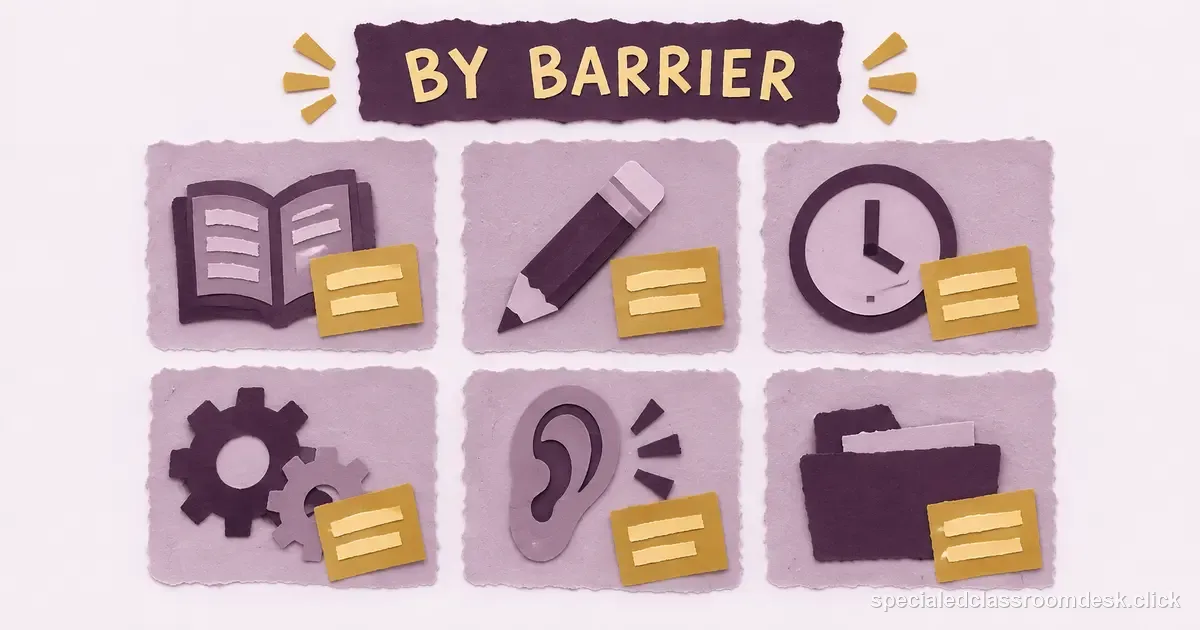
A useful accommodation is a response to a documented barrier, not a long menu copied into every IEP. Start with the task the student cannot access consistently, identify what part of the task the disability makes harder, and choose a support that preserves the intended learning whenever possible.
When decoding blocks access to content
Possible supports include text-to-speech, accessible digital text, audio versions of content-area materials, pre-taught vocabulary, or adult reading of directions when reading itself is not the skill being measured. The implementation detail matters: specify which assignments, whether headphones are available, and whether the student needs training to navigate the tool.
When handwriting or transcription blocks written output
Keyboarding, speech-to-text, word prediction, reduced copying, access to teacher notes, or a scribe under defined conditions can separate idea generation from the motor or transcription barrier. Keep an eye on the construct. During a handwriting goal, removing handwriting entirely would make the progress measure meaningless; during a history essay, the same technology may preserve access to the history target.

When processing speed changes how long a task takes
Extended time is only useful when the student knows how to use it and the schedule permits it. Other supports may include chunked directions, fewer items that sample the same skill, a preview of task steps, reduced copying demands, or a pause between oral instructions. Avoid “unlimited time” unless the team has a clear implementation reason; undefined extensions can create fatigue and scheduling problems.
When attention is pulled away from the important signal
Preferential seating should name the purpose rather than a location. “Seat near the teacher” may help one student and expose another to more traffic. Consider a low-distraction work location for independent tasks, visual timers, written directions that remain available after oral instruction, cueing systems, or planned check-ins. The support should reduce the barrier without requiring continuous adult surveillance.
When sensory demands interfere with participation
Depending on individualized need, accommodations can include access to noise reduction, a quieter testing setting, an alternative seating option, planned movement opportunities, lighting adjustments that are feasible in the setting, or advance notice of predictable high-sensory events. These decisions should be based on student need and team input, not a generic sensory checklist.
When organization breaks across classes
A single consistent folder system, assignment checklist, visual schedule, color coding, digital reminders, duplicate materials, or an end-of-day backpack routine may reduce working-memory demands. Pick one system that multiple teachers can support rather than six different teacher-created systems the student must remember.
When oral directions disappear too quickly
Provide directions in more than one durable form: written steps, a picture sequence, a model, or a task card. Ask the student to show or explain the first step instead of repeatedly asking “do you understand?” which often produces an automatic yes. For multi-step routines, a checklist can support independence better than repeated adult verbal prompts.
When participation format is the barrier
A student may demonstrate knowledge through typed response, pointing, augmentative communication, recorded response, or another mode when the response format is not the learning target. Flexible response mode is not the same as lowering the academic expectation. The team should identify which formats preserve the construct and are practical in the classroom.
Three implementation details that prevent paper-only accommodations
First, name the context: “extended time on classroom tests” is more usable than “extra time as needed.” Second, define the amount or decision rule where the team can do so appropriately. Third, assign responsibility for materials or technology. If an audio text must be prepared, someone needs to know who obtains it and when.
| Support preserves the intended target | Support changes what is expected | |
|---|---|---|
| Reading | Text-to-speech for the same content target | Substantially simpler content and different learning targets |
| Writing | Speech-to-text to express ideas | Replacing a multi-paragraph argument with picture identification |
| Math | Audio directions while solving the same problems | A change that substitutes a different academic expectation |
Collect evidence that the support is working
Accommodation use is not a goal by itself, but small implementation notes can reveal whether access improves. Compare task completion, accuracy, independence, or student-reported effort under the planned support. If a support is consistently unused or ineffective, do not simply delete it; ask why. The student may need direct instruction in the tool, a different support, or a team review of the barrier.
Write the trigger and the support together
“Frequent breaks” is hard to implement because staff must guess when, how long, and how the student returns. More usable wording might say that during independent tasks longer than 20 minutes, the student may request one five-minute movement break using a visual card and will receive a brief cue to resume at the agreed return time. The exact numbers must come from the student's need, but the structure shows how to remove ambiguity.
For organizational barriers, “check planner” can become a scheduled end-of-day review with a named adult and a defined product such as photographed assignments or a completed digital task list. Specificity turns an accommodation from a promise into a routine.
Review accommodations after several weeks of use. If a support is never used, is routinely refused, or does not address the documented barrier, bring data back to the team instead of preserving it automatically for another year.
Students in the same disability category may need different supports. Use present levels and team decisions rather than copying a generic menu.
Match the support to a barrier and define its boundary
Describe the task barrier and when the support should be available. “Preferential seating” should identify the access need without assuming one seat works in every class. “Chunked assignments” should say how chunks are provided and whether the learning target or required content changes. If amount or level of work changes, distinguish a modification from an accommodation.
Review support across settings when barriers differ by class. A quiet location may help during independent reading but isolate the student from discussion elsewhere. Ask the student whether it helps participation. Record implementation and access; do not infer effectiveness from one score or treat non-use as proof the support is unnecessary. Bring recurring mismatches to the case manager or team.
For example, “provide a copy of notes” may not address a student who needs a way to organize ideas during a fast-paced lecture. A guided outline, access to slides before class, or a planned check-in may better match the documented barrier, depending on the student’s needs. Likewise, extended time is only useful when the student can access a quiet setting and knows how to request the extra time. These examples are prompts for individualized team discussion, not a menu to copy into every IEP.
Sources checked
Questions teachers ask
Should every student with an IEP get extended time?
No. Accommodations are individualized. Extended time should address a documented barrier and be implemented in a way that preserves the intended learning or assessment construct.
Is preferential seating always near the teacher?
No. Define the purpose. The best location may reduce visual distractions, improve access to instruction, support technology, or address another individualized need.
Can a student use speech-to-text for every writing task?
Only as specified and appropriate for the target. It may be an access accommodation for content writing but would change a task that specifically measures handwriting or unaided spelling.
How do I know if an accommodation is effective?
Look at whether the student can access and demonstrate the intended learning more independently or accurately under the support, and gather student feedback when appropriate.